
How to Disable Control-Click on Mac
Short answer: macOS has no built-in setting for this. Control-click has opened the right-click menu since the one-button-mouse days of classic Mac OS, and there is no toggle anywhere in System Settings to turn just that off. Below: what people try first, why none of it works, and what actually does.
Published 2026-09-23
What you'd expect to find (and won't)
The reasonable first move is System Settings → Trackpad → Point & Click → Secondary click. It lets you choose how a secondary click is triggered — click with two fingers, click in the bottom-right corner, and so on. It looks like exactly the right place. It is not: this setting controls an alternative way to trigger a secondary click, not whether holding Control while clicking triggers one.
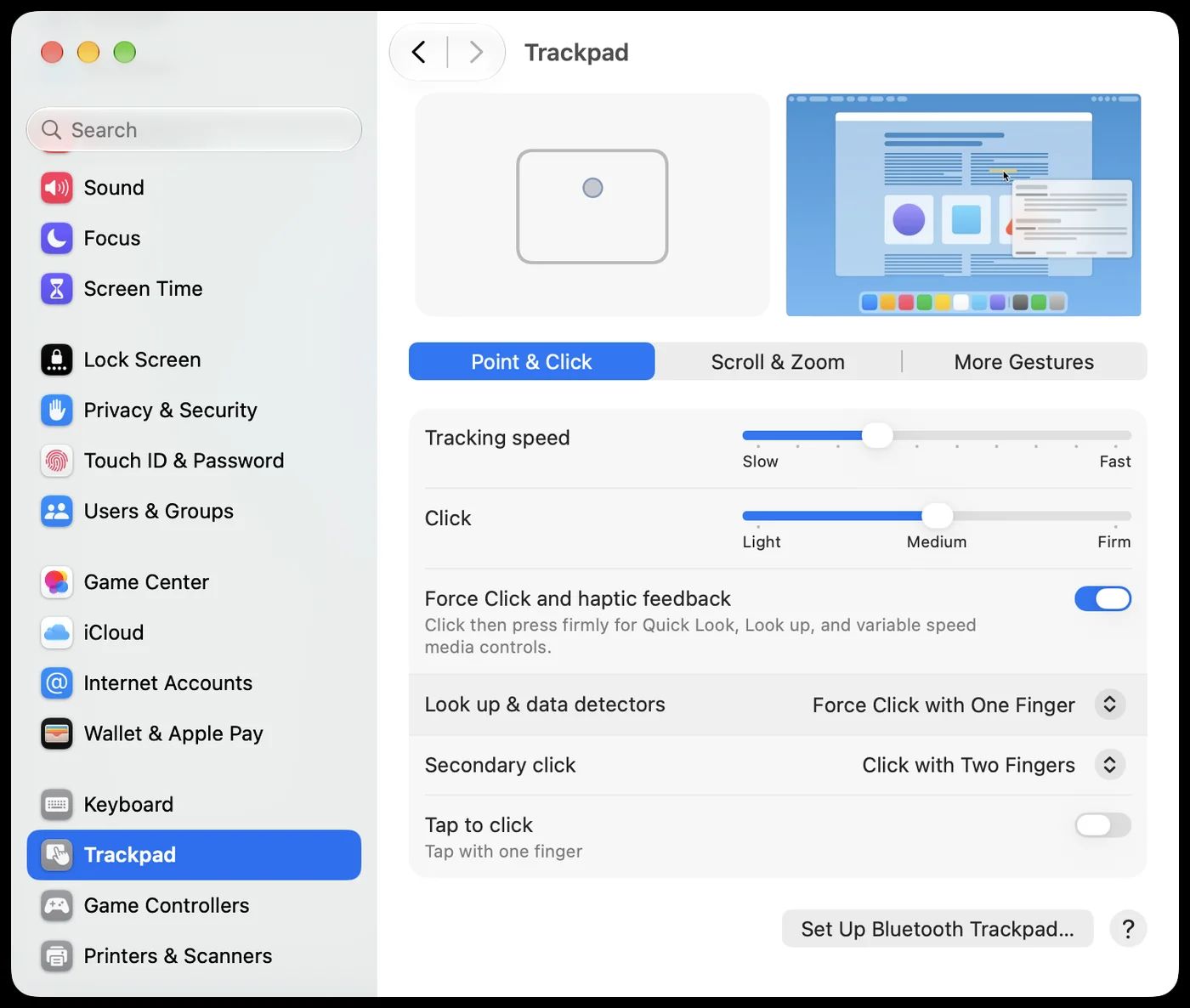
Same story with a connected mouse: System Settings → Mouse → Secondary click lets you pick which physical button acts as secondary click. Also not it — Control-click keeps working regardless of what you set here.
Some people try remapping or disabling the Control key itself under Keyboard → Keyboard Shortcuts → Modifier Keys. That changes what the Control key means system-wide (or turns it into Caps Lock, Command, etc.) — a much bigger hammer than the problem calls for, and it still doesn't stop a held Control key from triggering the context menu on click.
Why none of it works
Control-click opening a context menu isn't a setting hiding somewhere — it's baked into how macOS's UI framework (AppKit) interprets mouse events, as a holdover from when Macs shipped with a single-button mouse and Control-click was the only way to get a secondary click at all. Decades later, the behaviour is still there, still hard-coded, and completely separate from the secondary-click settings above. There's nothing to toggle because it was never built as an option.
The two-click fix
ByeCtrlClick blocks exactly this — the accidental Control-click context menu — system-wide, in every app. Your right-click and two-finger trackpad click keep working exactly as before; only the Control-click gesture is filtered out.
- Blocks Control-click system-wide, the moment you install it
- Right-click and two-finger click untouched
- No scripts, no config files — one toggle in the menu bar
Frequently asked questions
Does this also disable my normal right-click?
No. The fix only targets the Control-click gesture. A regular right-click or two-finger tap on the trackpad keeps working exactly as before — those are different code paths.
Is there really no hidden setting for this?
Correct, and it's easy to verify: search System Settings for "control-click" and nothing comes up. The Trackpad and Mouse panels only let you configure what counts as a secondary click — they don't touch what happens when you hold Control.
Will a future macOS update add this setting?
Possibly, but it's been absent since classic Mac OS's one-button-mouse days, so it's not something to wait for. It's a deliberate compatibility behaviour, not an oversight.
